
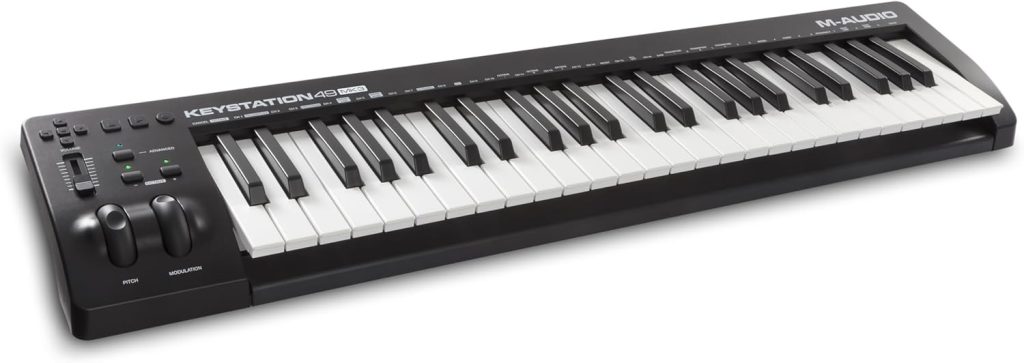
Let’s start with this: I’m not into gear hype. I buy what I need, I use it hard, and I only recommend what actually works. So when my old eKeys49 finally gave up after almost twenty years (it literally turned yellow from age – no joke), I went looking for a replacement that was simple, reliable, and fairly priced. I didn’t need a spaceship, just a solid MIDI keyboard that gets the job done. That’s how I ended up with the M-Audio Keystation 49es. After a month of daily use in my home studio, here’s what I’ve learned.
First Impressions
Out of the box, the Keystation 49es looks straightforward. No flashy lights or over-complicated controls. Just 49 full-size, velocity-sensitive keys, a few transport and octave buttons, and the familiar pitch and mod wheels on the left. If you’re used to lightweight plastic controllers, this one will feel familiar. The build quality isn’t premium, but it’s solid enough for serious studio work. The keys have a nice resistance: not too stiff, not too soft. I’ve played on plenty of controllers that try to feel like weighted pianos and end up feeling sluggish. This one finds a sweet spot for programming drums, bass, pads, or lead lines.
How I Use It in My Studio
I mostly use the Keystation 49es to program MIDI parts for my songs, things like drums, bass, and simple keyboard lines. For full piano performances, I’ll switch to a digital or acoustic piano. Still, I always connect a sustain pedal. It’s an underrated trick that adds realism, especially if you’ve got a piano background. It helps your parts sound more natural, even when you’re just laying down pads or simple chords. That’s what I like most about the 49es. It gives you enough feel and control to stay creative, without cluttering your workspace with knobs and sliders you’ll never touch.
Performance and Feel
The velocity response is consistent. You can play softly for subtle dynamics or dig in for more attack. The mod and pitch wheelsfeel smooth and solid, great for expressive synth or lead parts. There’s nothing flashy here: no aftertouch, no colored lights, no extra controls. But that’s exactly what makes it great. You plug it in, your DAW recognizes it instantly (mine’s Cubase Pro), and you’re ready to play. It’s the kind of keyboard that quietly does its job. You stop thinking about gear and start thinking about music. Oh almost forgot – and the price is super affordable too. You can get it here.